

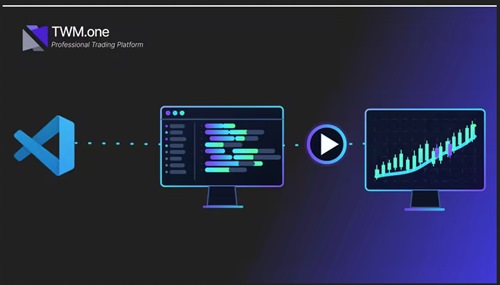
Twm Core Scripting: Build Custom Indicators From Scratch
Published 6/2026
MP4 | Video: h264, 1920×1080 | Audio: AAC, 44.1 KHz, 2 Ch
Language: English | Duration: 1h 6m | Size: 944.54 MB
Learn the TWM Core API and build custom indicators with parameters, plots, series, debugging, and chart visuals.
What you’ll learn
Understand the TWM Core API and how it supports custom indicators, strategies, tools, Series, parameters, plots, and execution logic.
Build a reusable professional indicator template with the correct file structure, GUID setup, namespace rules & import and export workflow.
Use OnStateChanged and OnBarUpdate correctly to control initialization, configuration, bar by bar execution, field resets, and debugging in Visual Studio
.
Create user configurable parameters, organize them in the properties panel, validate input ranges, and understand how TWM autogenerated wrapper code works.
Create Series and plots, connect calculated values to chart visuals, use dynamic colors, extra panes, transparent signal plots, and clean data box outputs.
Add professional chart visuals using drawing objects, text, lines, arrows, background coloring, bar coloring, price data access, and safe lookback logic.
Build a complete Ichimoku Cloud indicator from scratch using five indicator components, displacement logic, regular plots, custom OnRender drawing, and cloud
Requirements
Learners should have completed TWM 101 or be comfortable with basic C# concepts such as variables, methods, loops, classes, and object oriented structure.
Learners should have Visual Studio installed and the TWM platform ready to use before starting the course.
Basic familiarity with trading charts, indicators, candles, and price data such as open, high, low, and close will be helpful.
No previous TWM indicator development experience is required, because the course starts from the template and explains the TWM Core structure step by step.
Description
This course is a practical introduction to TWM Core and custom indicator development.
It is designed for users who already understand the basics of C# and want to start building real custom tools inside the TWM platform. Rather than relying only on prebuilt indicators, the course explains how custom indicators are structured, how they run, how they display values on the chart, and how they can be prepared for future automated trading development.
The course begins with the foundation of a professional indicator file. It explains how to organize code using a reusable structure, including constants, fields, parameters, plots, series, rendering logic, and helper methods. This provides a clean starting point for every custom indicator built in the future.
From there, the course explains how the TWM execution model works. It covers the role of the main lifecycle methods, how indicators process historical and real-time bars, and how to debug scripts using Visual Studio. This helps learners move beyond trial and error and understand what the code is doing while it runs.
The course then covers user parameters, showing how to create settings that appear directly inside the TWM interface. It explains how to add configurable values, organize them into groups, validate inputs, and understand the autogenerated code that TWM creates during compilation.
A major part of the course focuses on plots and series. It explains how to store calculated values, display them on the chart, create additional panels, apply dynamic colors, and use transparent plots when data needs to be passed to another script without showing unnecessary visuals.
The course also explores practical chart tools such as drawing text, lines, arrows, markers, background colors, and bar colors. These tools allow learners to create indicators that are not only functional, but also easier to read and analyze visually.
The final section is a complete workshop where all concepts come together. Learners will build an Ichimoku Cloud indicator from scratch, including all five lines, displacement logic, cloud rendering, custom colors, and chart visualization.
Students enrolled in this course will also receive access to a dedicated offer that includes free lifetime access to all available courses, plus one month of unlimited use of the TWM platform. The activation instructions are provided inside the course, allowing learners to practice everything covered in a real environment without restrictions.
By the end of the course, learners will have a reusable indicator template, a strong understanding of the TWM Core API, and the confidence to continue into more advanced courses focused on automated trading systems and full trading system development.
This course is ideal for traders, TWM users, and beginner developers who want to move from basic platform usage to real custom indicator development.
Who this course is for
TWM users who have completed the beginner course and want to start building real custom indicators inside the TWM platform.
Developers and traders who understand basic C# and want to learn how the TWM Core API works in a practical charting environment.
Learners who want to move beyond basic platform usage and understand the structure, execution lifecycle, parameters, Series, plots, rendering, and debugging behind professional TWM tools.
Users who plan to continue into strategy development, because the execution model, parameters, Series, and many development patterns taught here also apply to automated strategies.
Traders who want to create custom visual indicators, signal tools, chart annotations, extra panes, dynamic colors, and advanced indicators such as the Ichimoku Cloud.
rapidgator.net/file/9fe718aea5b2a1c1c22f1bd4c86db5c1/TWM_Core_Scripting_Build_Custom_Indicators_from_Scratch.rar.html
